Phase 1
Getting set up
Download, onboard, and build your first habit
SteadyFocus gets you going in under 3 minutes. Sign in with Google to protect your purchases — no password, no email form, just your Google account.
Download from Google Play
Search "SteadyFocus" or follow the link from this site. It's free to install.
Watch the onboarding
A 5-slide walkthrough introduces the key features with animated visuals. Swipe through at your own pace.
Sign in with Google
Required to protect your purchases and AI credits across reinstalls and devices. We only use your Google account to identify you — no password, no email form.
Create your first habit
Tap the + button on the Timeline or use Pattern Scout to discover and adopt a habit in seconds.
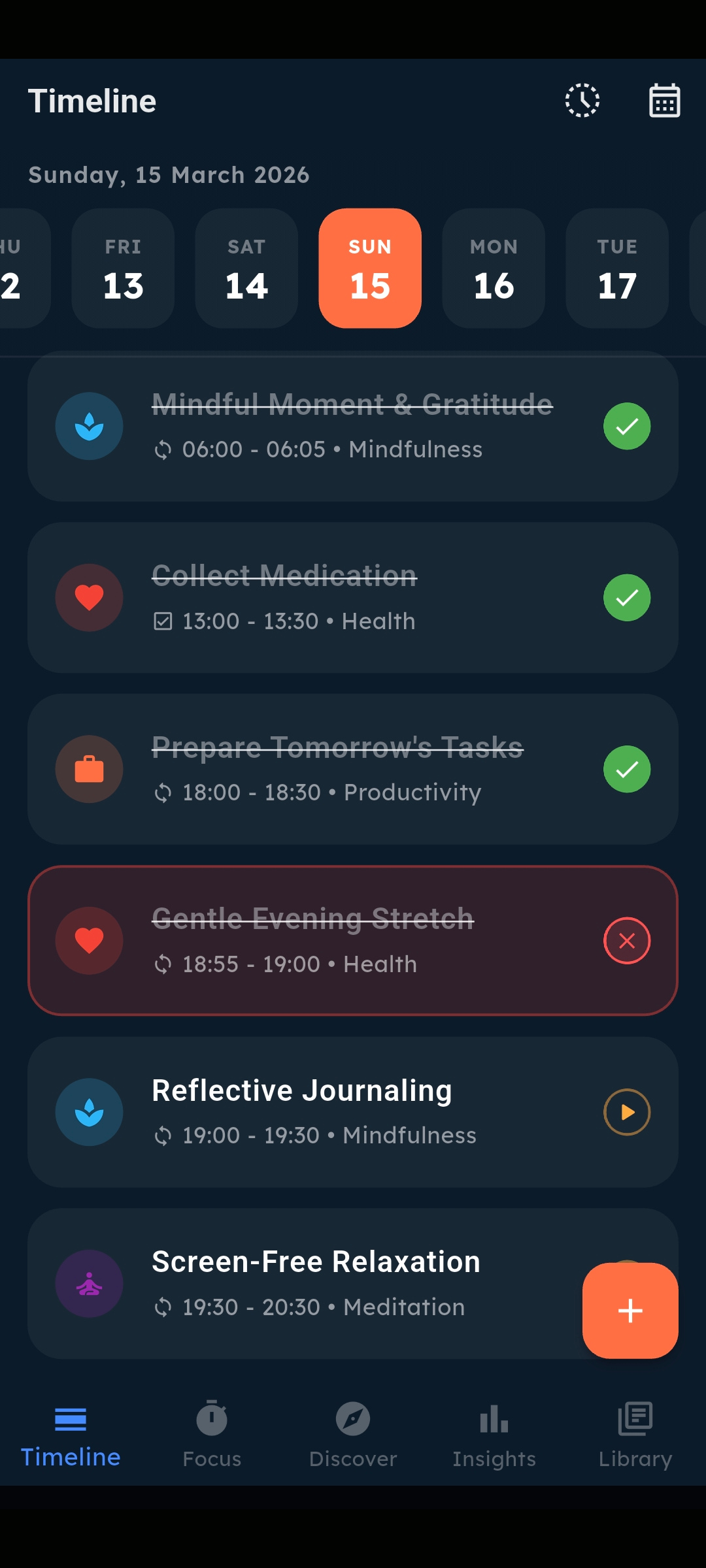
The biggest mistake new users make is adding 10 habits on day one. Start with the 2–3 routines that would make the biggest difference. You can always add more once they're locked in.
Phase 2
Building your habit system
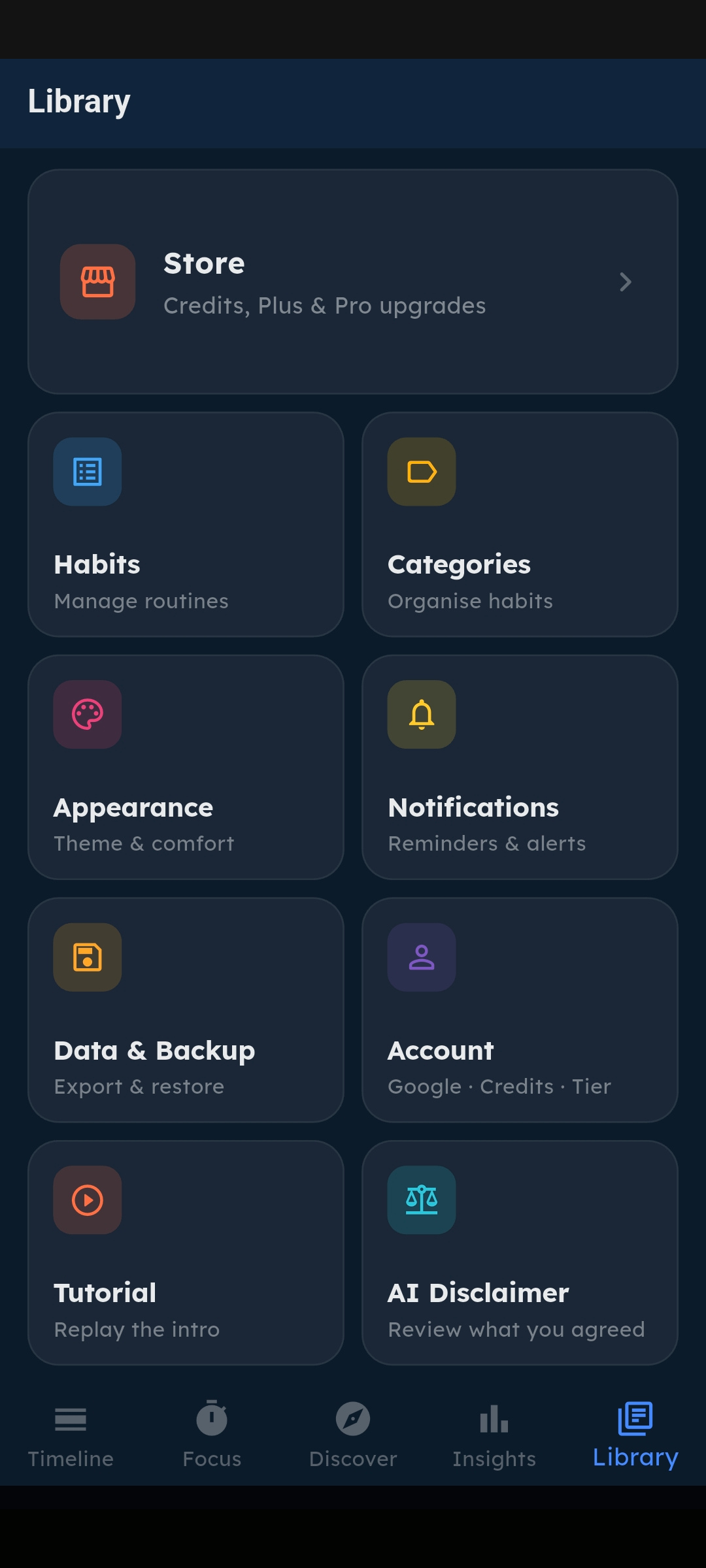
Add and configure habits that actually fit your life
Every habit in SteadyFocus is highly configurable. You control the schedule, category, goal type, duration, and reminder.
Creating a habit manually
Tap the + FAB button on the Timeline and select "New Recurring Habit".
Name your habit and choose a category (or create a new one).
Select your goal type: Binary, Duration, Numerical, or Streak.
Set a scheduled time (or leave it as Anytime) and pick which days it recurs.
Optionally set a reminder notification. Tap Save — it appears on your Timeline immediately.
Using Pattern Scout instead
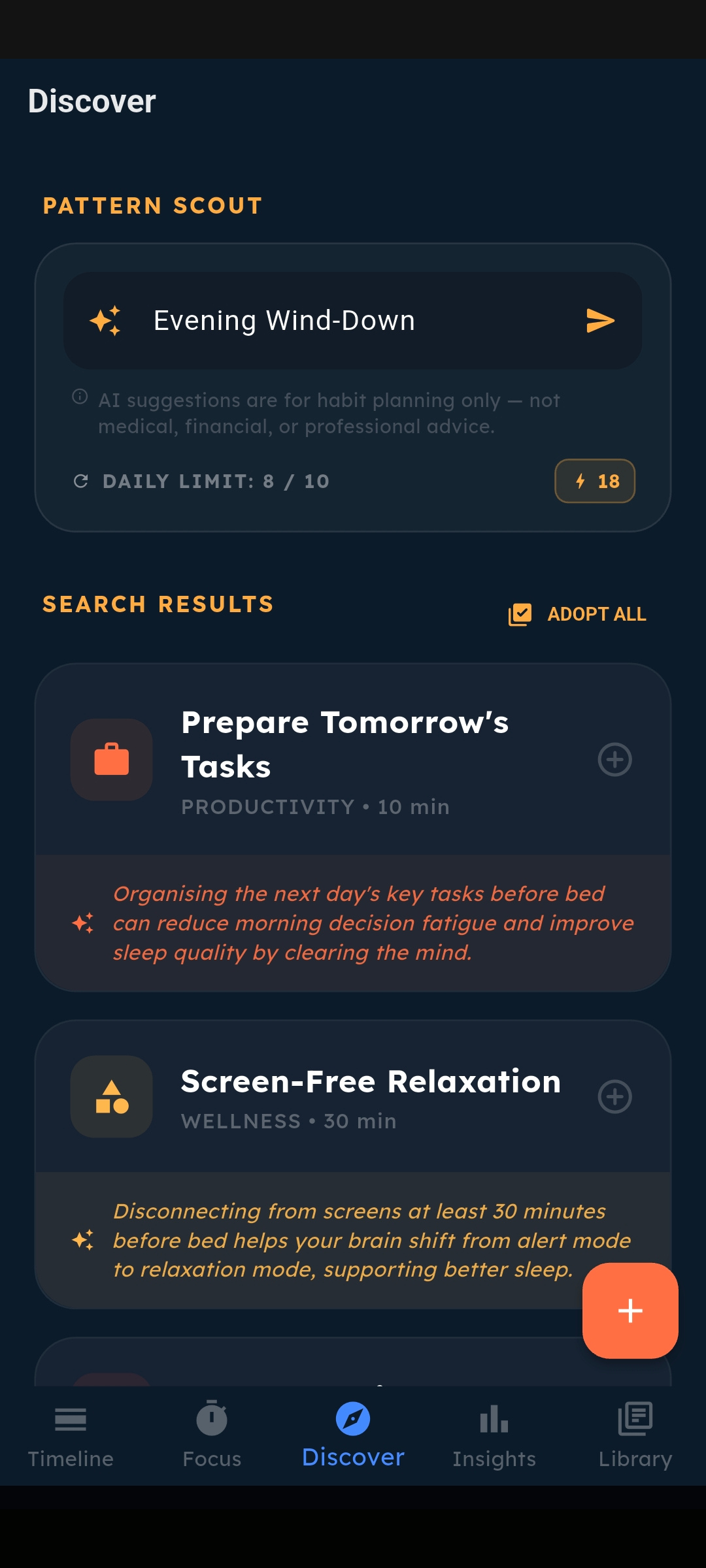
Go to the Discovery tab, type your goal in the search bar (e.g. "morning focus routine"), and Pattern Scout will generate 4–6 tailored habit blueprints. Tap any result to open it pre-filled in the Add Habit sheet — adjust if needed, then save.
Categories are the visual backbone of your system. Create categories like "Health", "Deep Work", "Learning" with distinct colours. Your Timeline and Library become much easier to scan at a glance.
Phase 3
Your daily flow
Once your habits are set, SteadyFocus fits into your day in a simple, repeatable pattern. Here's what a typical day looks like:
Morning — Check your Timeline
Open the app and see what's on your plate for today. Scheduled habits appear in time order. Pro users can generate a Morning Primer from the AI Coach for a sharp focus brief.
Start a focus session
Tap the play button on your first habit. The Focus Timer launches — set the screen aside and get to work. The countdown tracks your session precisely.
Complete and log
When the timer hits zero, a completion sheet appears. Confirm, and the habit is marked done on your Timeline. Move on to the next one.
Work through your day
Habits without focus sessions can be marked complete with a tap or long-press. The Timeline updates in real time as you work through your list.
End of day review
Check Insights for your daily completion rate. Long-press any unfinished habit to mark it missed or leave it pending — your call.
Monday — Weekly Briefing (Pro)
Every Monday at 6:00am, your AI Coach delivers a personalised Weekly Executive Briefing. It analyses your wins, patterns, and missed habits — and sets your focus plan for the week ahead.
Phase 4
Using the AI features
Pattern Scout — how to search
Pattern Scout works best with specific, goal-oriented queries. Here are examples of what works well:
Each search uses one Scout credit. Free and Plus users can purchase booster packs anytime (5 or 10 credits) from the Library → Store screen. Pro users get 10 credits included daily.
AI Coach — how to get a briefing
Weekly Briefing
Go to the Discovery screen. Scroll to the "AI COACH" section.
Your Weekly Briefing is delivered automatically every Monday at 6:00am. Open the AI Coach section on the Discover tab to read it.
Your Coach analyses the week's data and returns a full report in seconds.
Morning Primer
Available on weekday mornings (3–11am) when you have habits scheduled.
Your Morning Primer is delivered automatically in the AI Coach section.
Receive a brief, focused daily plan based on your schedule and recent performance.
Phase 5
Reading your Insights
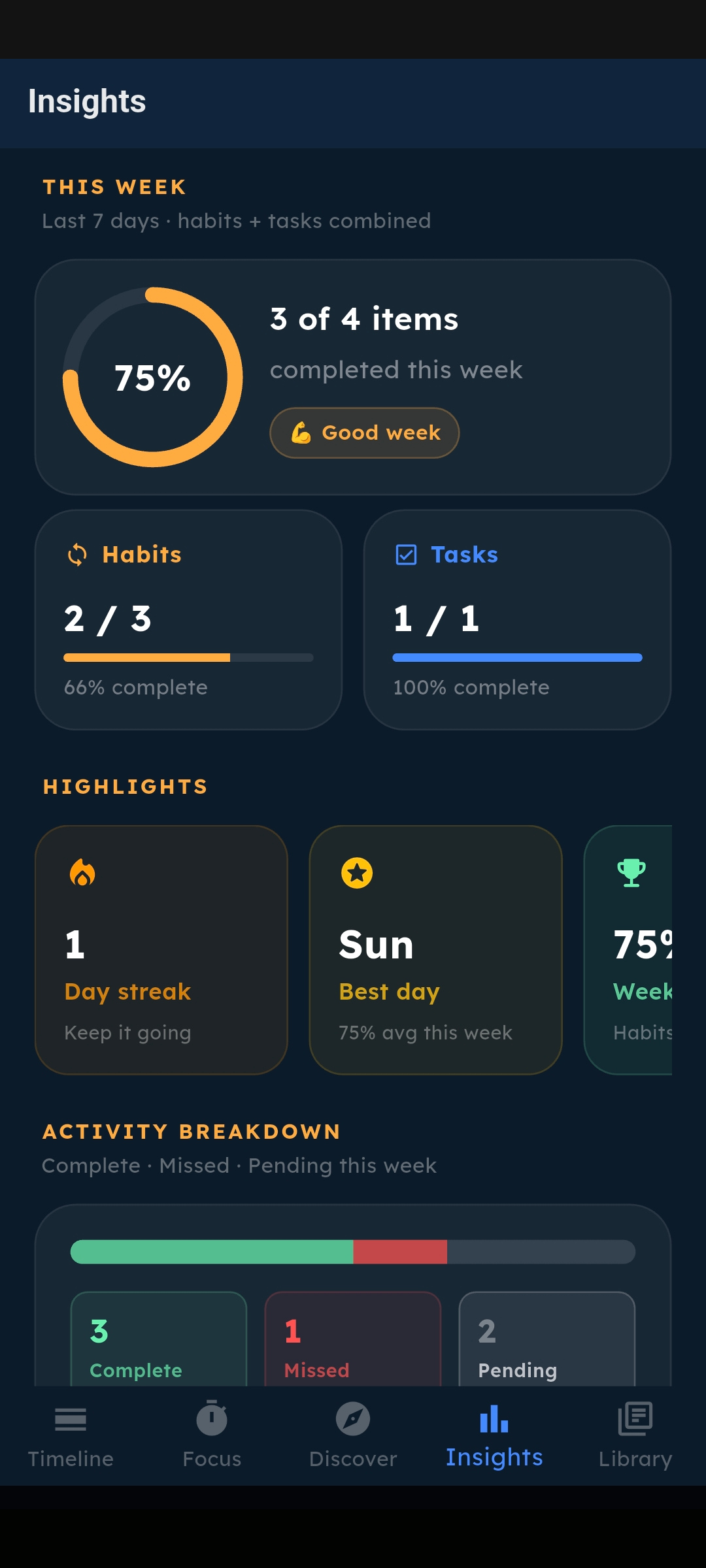
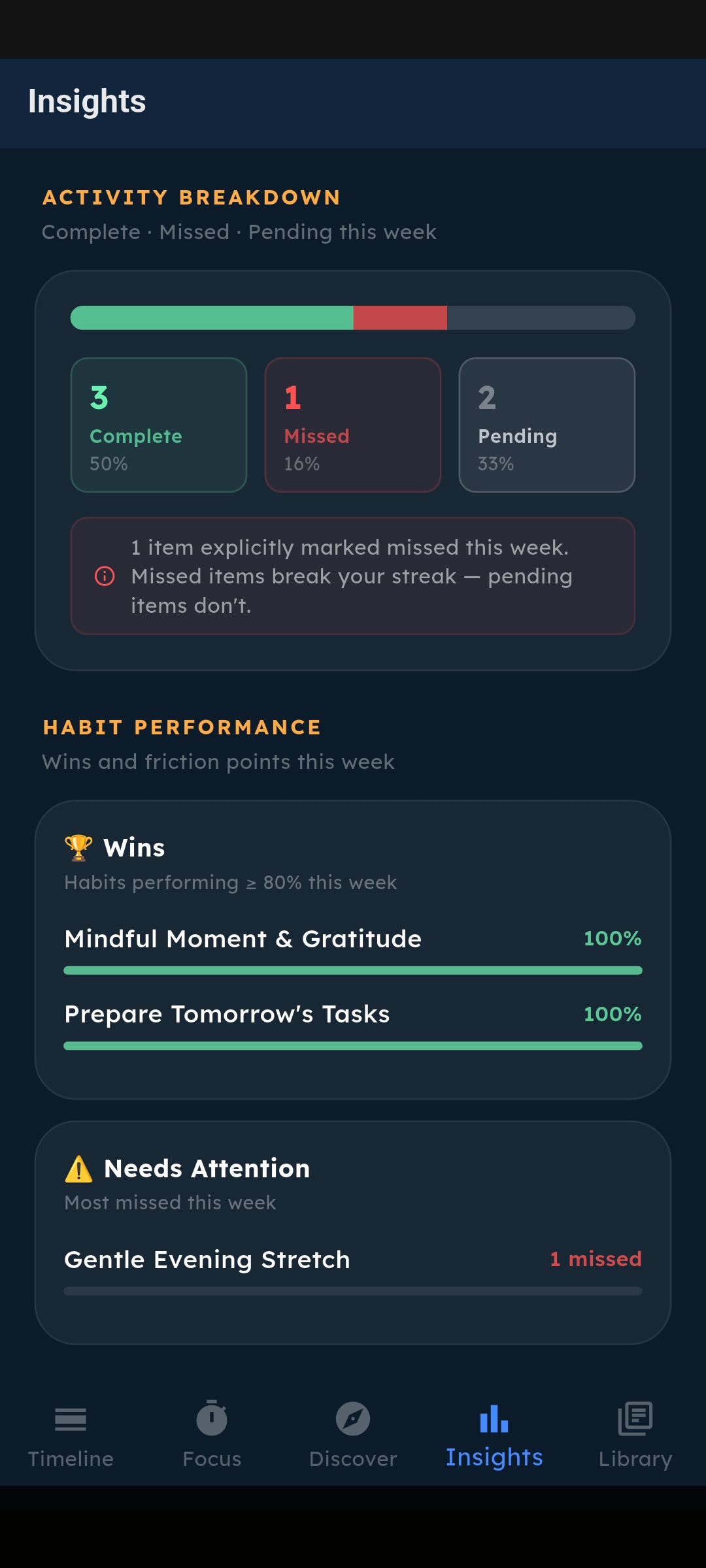
Insights (Plus feature) gives you a structured view of your performance. Here's how to read the key metrics:
📊 The Completion Ring
Shows your 7-day completion rate for habits + tasks combined. Green = ≥80% (on fire). Orange = 50–79%. Amber = below 50%.
🌡️ The Heatmap
35 days of momentum data. Brighter orange = more activity that day. Tap any cell to see the exact date and percentage score. Look for patterns — consistent bright blocks on certain days means those are your power days.
📈 7-Day Trend Bars
Daily completion rates as a bar chart. Look for declining bars at the end of the week — that's your biggest opportunity to improve.
🏆 Habit Performance
Wins shows habits at ≥80% completion. "Needs Attention" shows your most-missed habits. These two sections tell you exactly what to focus on.